From URL to IP: Decoding DNS as the World’s Largest Distributed Database
Mastering the Hierarchy of the World’s Largest Distributed Database.

Whenever you type a URL into your browser, you are engaging with the most successful distributed database ever built: the Domain Name System (DNS). Often called the "phone book of the internet", DNS translates human-friendly names like google.com into the numeric IP addresses which computers need to find each other.
1. Why Name Resolution Exists
Computers and networks communicate using numeric IP addresses (e.g., 142.250.190.46), but humans are wired to remember names. DNS bridges this gap, providing a user-friendly naming system that maps domain names to IP addresses automatically. This system also provides essential flexibility: websites can change their IP addresses (moving servers) without ever changing their domain name, and organizations can implement load balancing and redundancy behind a single name.
2. The Cast: Who Resolves Your Request?
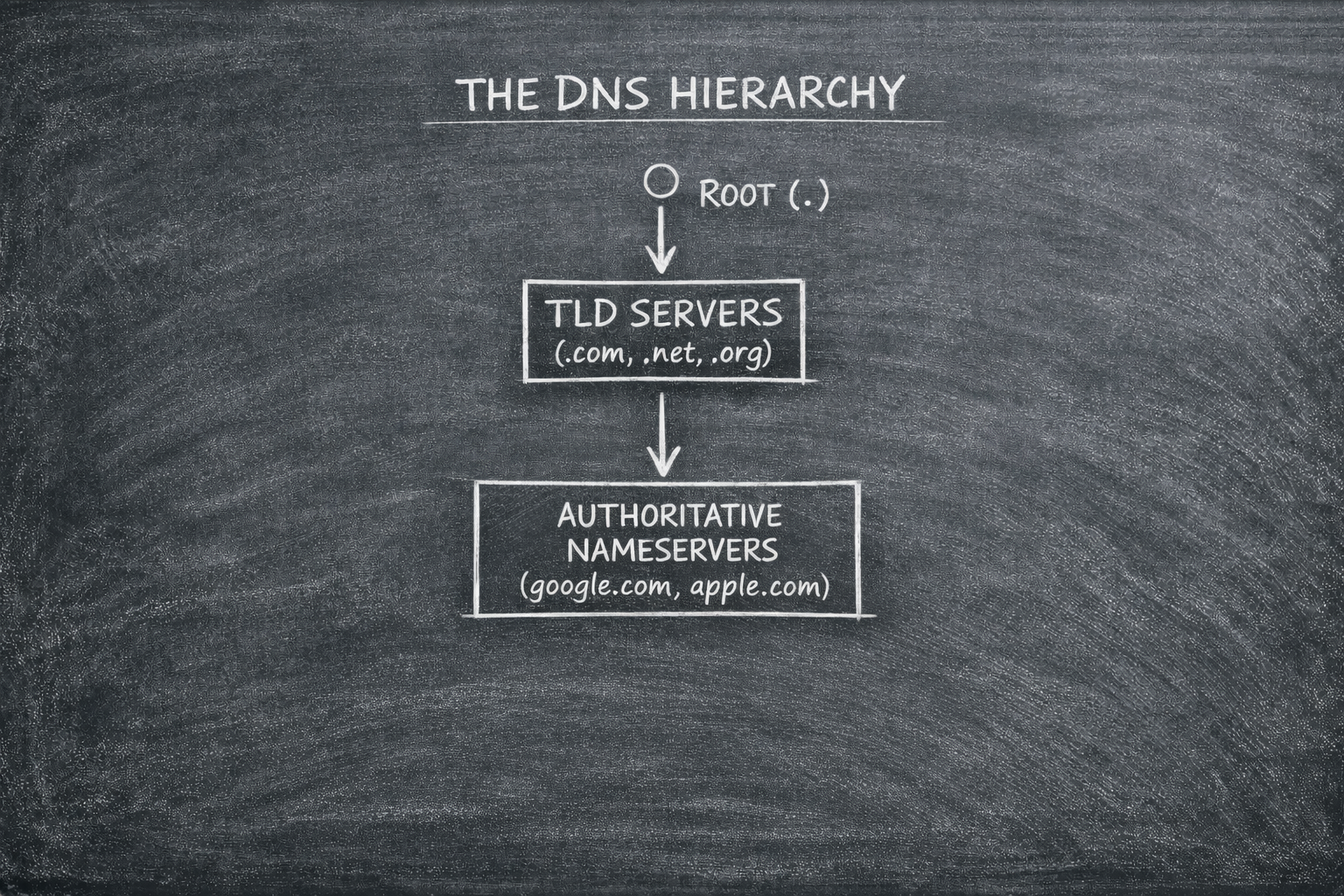
DNS resolution is a multi-step process involving four key server types:
DNS Recursor (The Resolver): Acts as an intermediary between your browser and the rest of the DNS network, initiating the query and following referrals.
Root Nameserver: The first step in resolving a domain; it directs the resolver to the appropriate Top-Level Domain (TLD) server.
TLD Nameserver: Maintains information for domains with a specific extension (like
.comor.org) and refers the resolver to the authoritative nameserver.Authoritative Nameserver: The final "Source of Truth" that holds the actual DNS records (A, AAAA, MX) and returns the correct IP address.
3. The Engineer’s Microscope: dig
To inspect this distributed database, we use dig (Domain Information Groper) : a command-line tool preferred by developers and administrators for its precision and detailed output. It is used to troubleshoot DNS issues, verify configurations, and check propagation.
The Hierarchy Lab: Layer by Layer
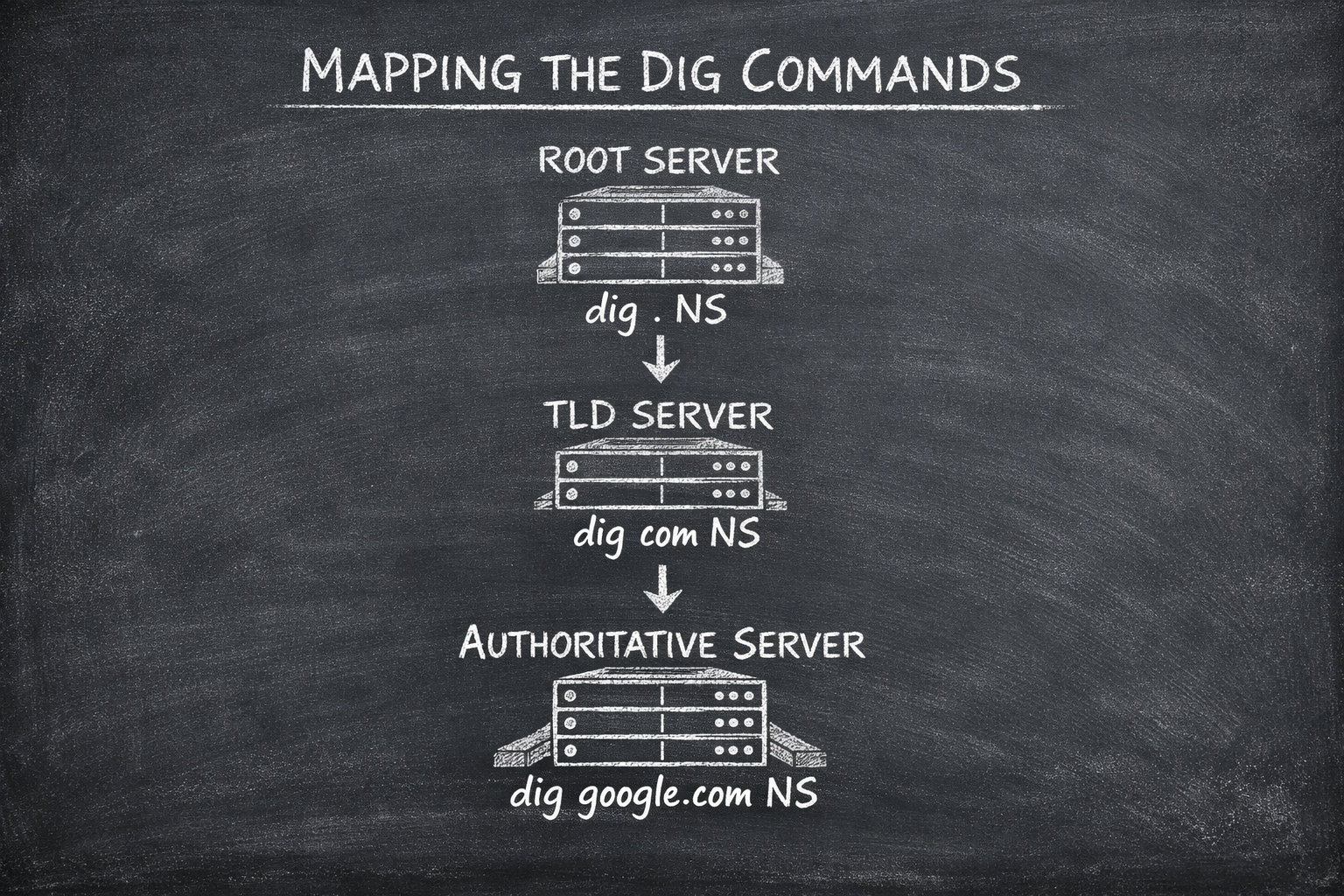
By using dig, we can simulate the steps a recursive resolver takes behind the scenes:
Level 1: The Root (
dig . NS)The dot (
.) represents the DNS root zone. This command retrieves the list of 13 root name server clusters (labeleda.root-servers.nettom.root-servers.net) that form the top of the hierarchy.Level 2: The TLD (
dig com NS)This queries the servers responsible for the
.comTLD. These servers point the way to individual domains but do not hold the final IP address.Level 3: The Authoritative Source (
diggoogle.comNS)This reveals the specific name servers (like
ns1.google.com) that are authoritative for Google's domain. These servers hold the original records that the browser eventually uses to establish a connection.
4. The Full Workflow: Resolving Google
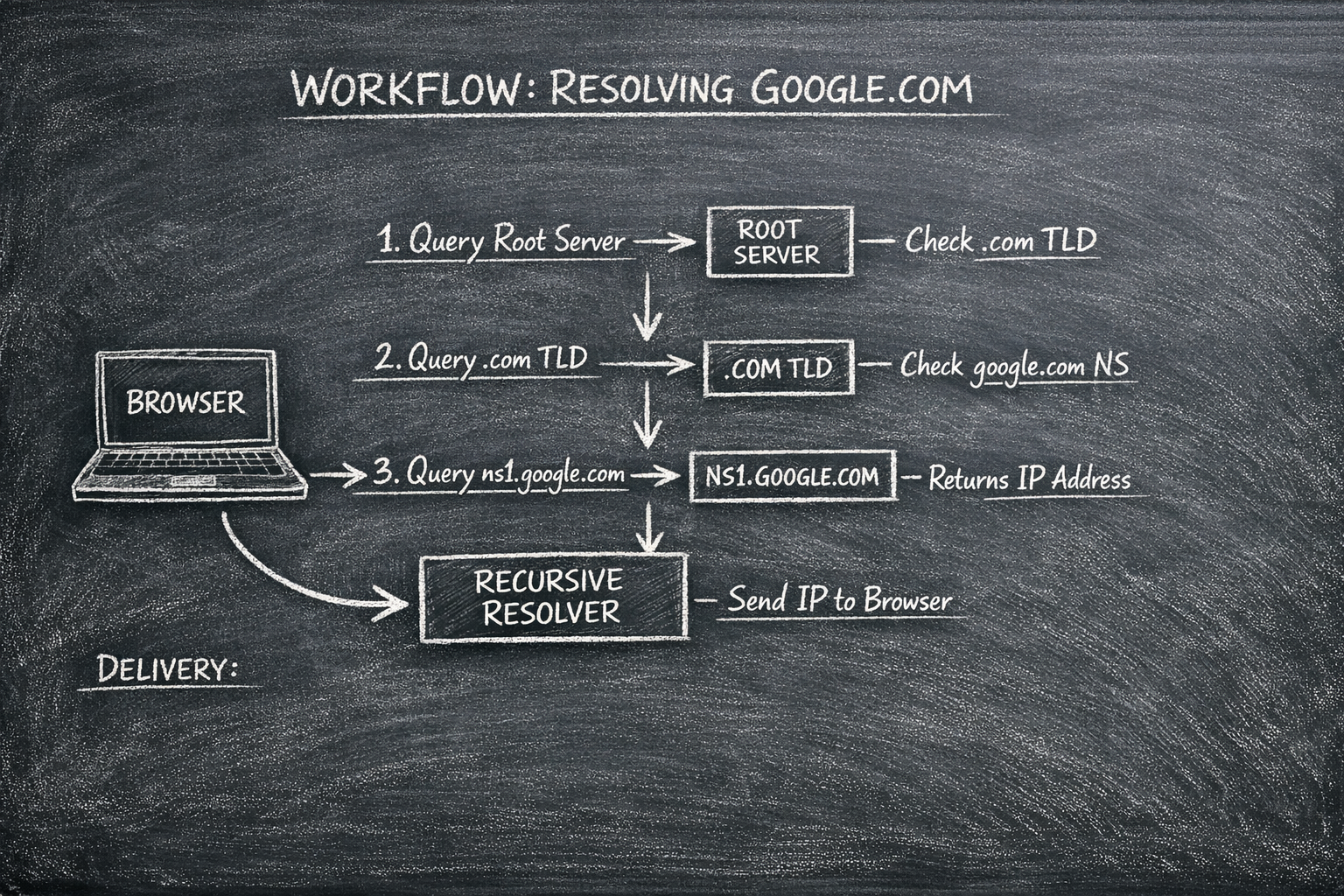
In the real world, your browser doesn't want to do the heavy lifting of talking to three different servers. Instead, it offloads the work to a Recursive Resolver (like your ISP or Google’s 8.8.8.8).
DNS Caching (The Shortcut) : If the recursive resolver already has a valid cached record (based on TTL), the entire root → TLD → authoritative resolution process is skipped, and the IP address is returned immediately.
As shown in the diagram above, the resolver acts as the "middleman" that performs the Iterative Resolution on your behalf:
The Recursive Query: Your Browser sends a single request to the Recursive Resolver: "Where is google.com?"
The Root Referral: The resolver queries the Root Server. The Root doesn't know the IP, so it replies: "I don't know, but you should check the .com TLD*"*.
The TLD Referral: The resolver then queries the .com TLD Server. The TLD replies: "I don't have the IP, but here is the address for Google's Authoritative Nameserver (ns1.google.com)*"*.
The Authoritative Answer: Finally, the resolver queries ns1.google.com. Because this server is the "Source of Truth," it returns the actual IP Address.
The Final Delivery: The resolver sends that IP back to your browser, which can now finally start the networking handshake.
Pro Tip: This entire "relay race" happens in the background, usually in under 100ms. Without the Recursive Resolver handling these iterations, every single device on the planet would have to maintain its own complex DNS logic.
5. Pro-Tooling: The dig Cheat Sheet
For production-level troubleshooting, use these flags to get exactly the information you need:
| Command | Purpose |
dig google.com +short | Provides a concise output (e.g., just the IP address). |
dig google.com MX | Queries mail exchange records for the domain. |
dig -x 8.8.8.8 | Performs a reverse DNS lookup to find the name associated with an IP. |
dig google.com +trace | Traces the full resolution path from root to authoritative servers, showing every referral. |
dig @8.8.8.8 google.com | Queries a specific DNS server (in this case, Google's public DNS). |
6. Production Considerations: Safety and Speed
In a live environment, DNS resolution must be both fast and secure:
TTL (Time-to-Live): This determines how long records are cached. Proper TTL management balances network load with the speed of global updates.
DNSSEC: Prevents spoofing and "cache poisoning" by digitally signing DNS records.
Anycast DNS: Routes queries to the nearest server globally, reducing latency and ensuring high availability.
Conclusion: The Foundation of the Modern Web
DNS is the silent architect of our digital interactions. It is a 100-millisecond marvel that scales to handle billions of requests every day, yet it remains fundamentally a human-centric tool, it exists because we value names over numbers.
By mastering the hierarchy; from the global Root servers to the specific Authoritative records; you move beyond the surface of the web. You gain the ability to troubleshoot complex network failures, optimize global traffic, and secure your infrastructure against modern threats.
DNS isn't just a phonebook; it is the definitive source of truth for our digital world. Mastering it is the first step in moving from a developer who just writes code to an engineer who understands the infrastructure that makes that code reachable.


