JavaScript Arrays 101: Organizing Your Data Like a Pro
From Messy Variables to Ordered Collections - Master the Essentials of JavaScript Arrays.

Imagine you are a librarian. If you had 100 books and tried to give each one its own individual shelf, your library would be a chaotic mess. Instead, you put them in a single row on a shelf, in a specific order, so you can find them easily.
In JavaScript, an Array is that shelf. It is a data structure used to store multiple related values in a single variable. Whether you are managing a list of task names, student marks, or product prices, arrays make your code cleaner, scalable, and much easier to maintain.
1. Why Do We Need Arrays?
Before arrays, developers had to create a new variable for every single item. This works for two or three items, but it fails quickly as your data grows.
The Individual Way (The Problem) | The Array Way (The Solution) |
|
|
| Scalable: Easy to add 100+ items. |
Repetitive: Hard to manage. | Dynamic: Can loop, search, and sort. |
Hard to Loop: Cannot easily process all items. | Built-in Power: Access to useful methods. |
2. Creating Your First Array
The most common and recommended way to create an array is using Array Literal syntax (the square brackets []).
// An empty array
let emptyArray = [];

// An array with values
let colors = ["Red", "Green", "Blue"];
Note: You can also use the
new Array()constructor, but be careful! Writingnew Array(5)creates an array with 5 empty slots, not an array containing the number 5.
3. The Power of the Index: Accessing Elements
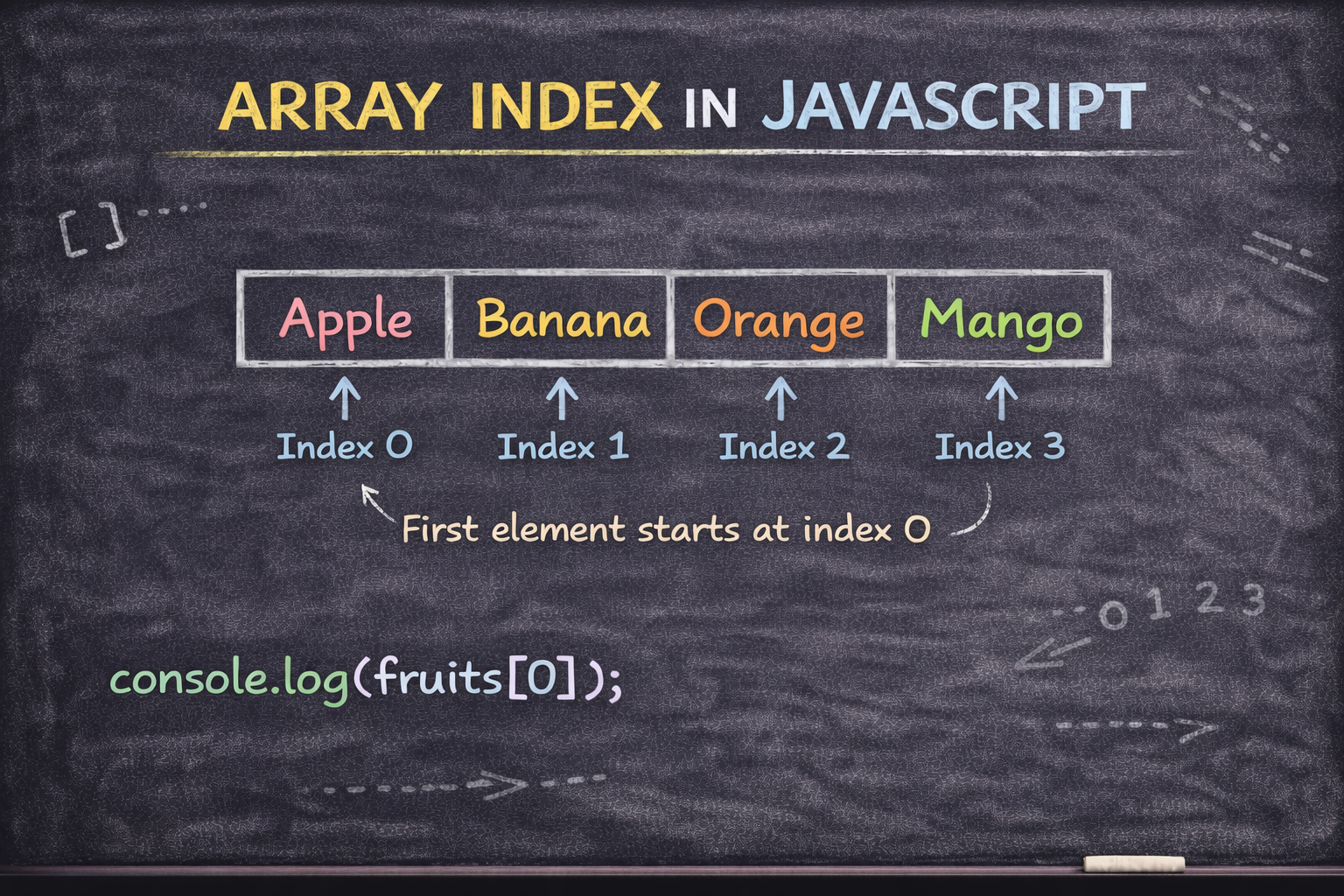
Arrays in JavaScript are zero-indexed. This is the most important rule to remember: the count starts at 0, not 1.
To get a specific item, you use the square bracket notation:
let fruits = ["Apple", "Banana", "Orange"];
console.log(fruits[0]); // Output: "Apple"
console.log(fruits[2]); // Output: "Orange"
If you try to access an index that doesn't exist (like fruits[5]), JavaScript will simply return undefined.
4. Updating and Managing Elements
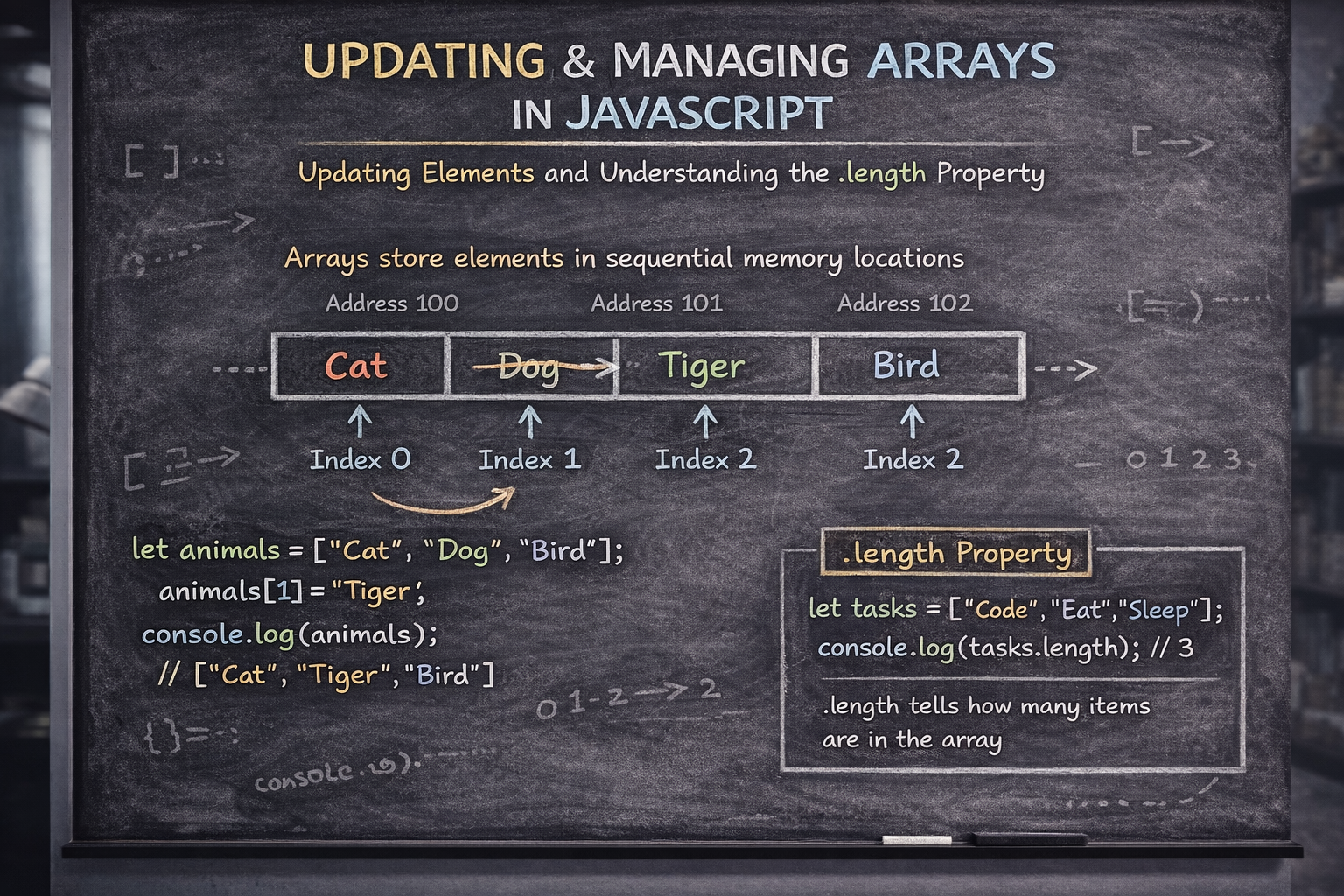
Arrays are dynamic; you can change their contents at any time.
Updating an Element
To update a value, access it by its index and assign a new value.
let animals = ["Cat", "Dog", "Bird"];
animals[1] = "Tiger"; // "Dog" is replaced by "Tiger"
console.log(animals); // ["Cat", "Tiger", "Bird"]
The .length Property
The length property tells you exactly how many items are in your array. It updates automatically as you add or remove items.
let tasks = ["Code", "Eat", "Sleep"];
console.log(tasks.length); // Output: 3
5. Walking Through Data: Looping
What if you want to print every single item in a list? You use a loop.
The Traditional for Loop
This uses the index to go through the array one by one.
for (let i = 0; i < fruits.length; i++) {
  console.log(fruits[i]);
}
The Modern for...of Loop
This is a cleaner, more readable way to access each element directly without worrying about the index.
for (let fruit of fruits) {
  console.log(fruit);
}
The Junior Dev Lab: Practice Challenge
Put your new skills to the test in the browser console!
The Goal:
Create: Make an array called
favMovieswith 5 movie titles.Access: Print the first movie (Index 0) and the last movie (use
length - 1).Update: Change the 3rd movie in your list to "Interstellar".
Loop: Use a
for...ofloop to print all your movies to the console.
// Solution:
let favMovies = ["Batman", "Inception", "Titanic", "Avatar", "Cars"];
favMovies[2] = "Interstellar";
for (let movie of favMovies) {
    console.log(movie);
}
Conclusion: The Foundation of Data
Arrays are the backbone of data management in JavaScript. By mastering how to create, access, and loop through them, you have taken a massive step toward handling real-world data from APIs, databases, and user inputs.


