Understanding Objects in JavaScript: Modeling the Real World
Beyond Simple Lists : Organizing Data with Key-Value Pairs.

Imagine you are a librarian managing a massive collection. We’ve already seen how Arrays act like ordered shelves where every book is found by its position (Index 0, 1, 2). But what happens when you need to describe a specific book in detail? A simple list of values like ["The Great Gatsby", "F. Scott Fitzgerald", 1925] doesn't tell the whole story. You need labels to know which is the title, which is the author, and which is the year.
In JavaScript, Objects are the professional labeling system of your library. They are fundamental data structures used to store and organize data in key-value pairs. While an array uses numbers (indexes) to find items, an object uses descriptive names (keys). This allows you to model complex, real world entities - like a single book, a library member, or a car - into one clean, organized package where every piece of information has a clear identity.
1. Why Do We Need Objects?
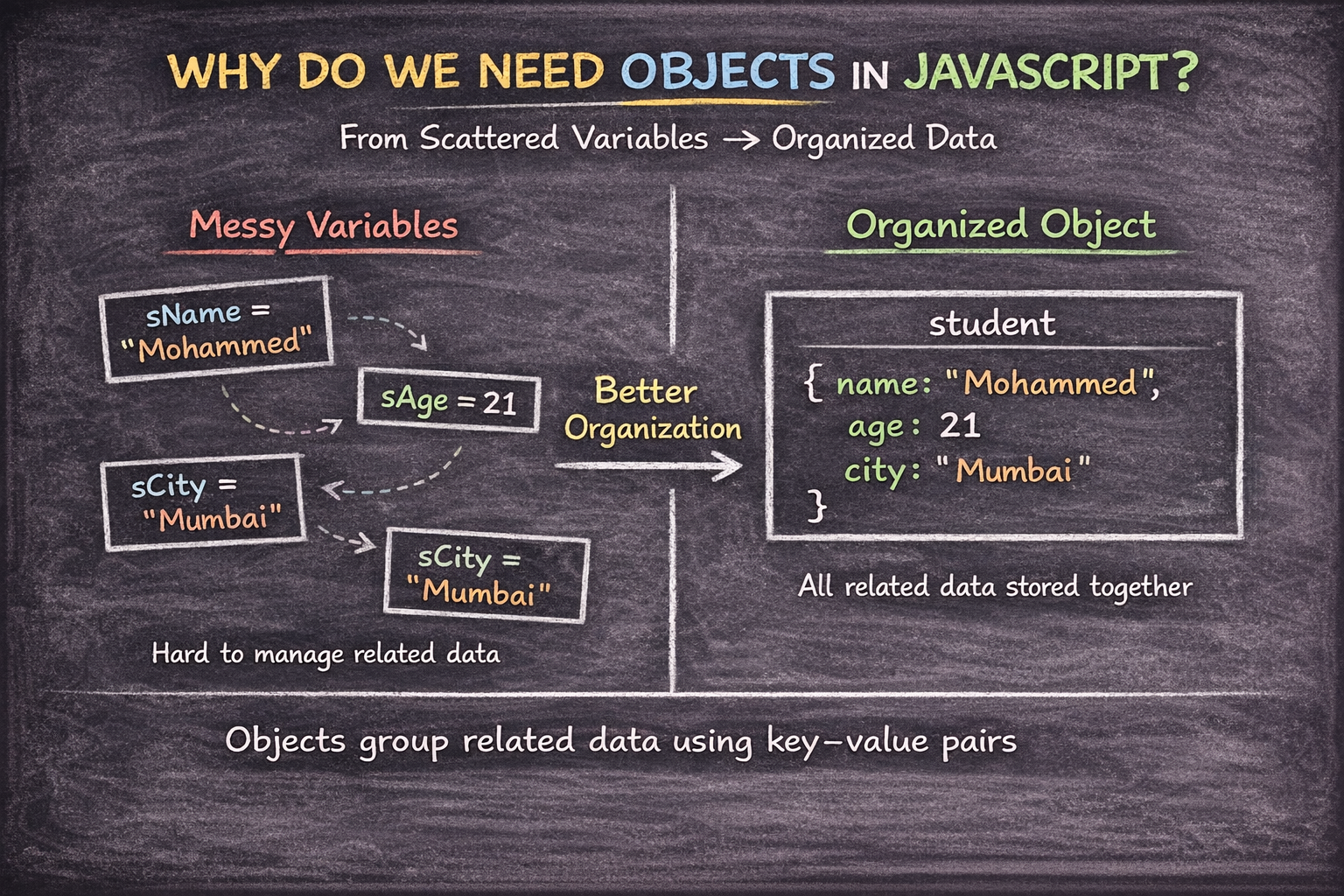
Imagine you are tracking a student. Without an object, you have scattered variables that have no clear connection.
The Scattered Way (Problem) | The Object Way (Solution) |
|
|
| Organization: All data is in one "student" box. |
Messy: Hard to pass 50 variables to a function. | Context: Each value has a label (key). |
2. Creating Objects: From One-Offs to Blueprints
In your library, you might have a unique, one-of-a-kind manuscript, or you might have 500 copies of a standard textbook. JavaScript objects work the same way. You can create a single "one-off" object, or you can create a blueprint to generate many similar ones.
A. The Object Literal (For a Single Entity)
This is the simplest way to create an object. You use curly braces {} and define your key-value pairs immediately. It is perfect when you only need one specific object.
const person = {
  name: "Alice",
  age: 30,
  city: "London"
};
B. Constructor Functions (For Many Entities)
If your library has hundreds of "Member" profiles, you don't want to type out a literal for every single person. Instead, you use a Constructor Function. This acts like a template that uses the new keyword to "construct" a new object every time.
function Person(name, age) {
  this.name = name;
  this.age = age;
}

const user1 = new Person("John", 25);
const user2 = new Person("Jane", 28);
C. ES6 Classes (The Modern Blueprint)
Introduced in modern JavaScript, Classes are a cleaner, more readable way to do exactly what constructor functions do. They are the industry standard for creating object blueprints in professional applications.
class Person {
  constructor(name, age) {
    this.name = name;
    this.age = age;
  }
  greet() {
    console.log(`Hi, I'm ${this.name}`);
  }
}

const user = new Person("Bob", 35);
Which one should you use?
Start with Literals for simple, one-time data.
Use Classes when your project grows and you need to create multiple objects with the same structure and behavior.
3. Accessing Properties: Two Ways to Play
Once you have an object, how do you get the data out?
JavaScript gives you two tools.
Dot Notation (object.key)
This is the cleanest and most common way.
Example:
const user = { name: "Alice", age: 30 };
console.log(user.name); // "Alice"
- Rule: Use this when the key has no spaces or special characters.
Bracket Notation (object["key"])
This is the "power user" method.
Example:
const user = { "first name": "Bob", age: 25 };
const key = "age";

console.log(user["first name"]); // "Bob"
console.log(user[key]);          // 25
- Rule: Use this if your key has spaces (e.g.,
"first name") or if the key name is stored in a variable.
4. Updating, Adding, and Deleting
Objects are mutable, meaning you can change their contents even after they are created. You don't need to recreate the entire object just to change one detail.
Updating and Adding
You can use either dot notation or bracket notation to modify an existing value or create a brand-new property on the fly.
Example:
const user = { name: "Alice", age: 30 };

// Updating an existing property
user.age = 31;

// Adding a brand-new property
user.isAdmin = true;
user["city"] = "Mumbai";

console.log(user);
// { name: "Alice", age: 31, isAdmin: true, city: "Mumbai" }
Deleting Properties
If you need to remove a piece of data entirely, JavaScript provides the delete operator.
Example:
// Deleting a property
delete user.city;

console.log(user.city); // undefined (It's gone!)
5. Walking Through the Keys: Looping
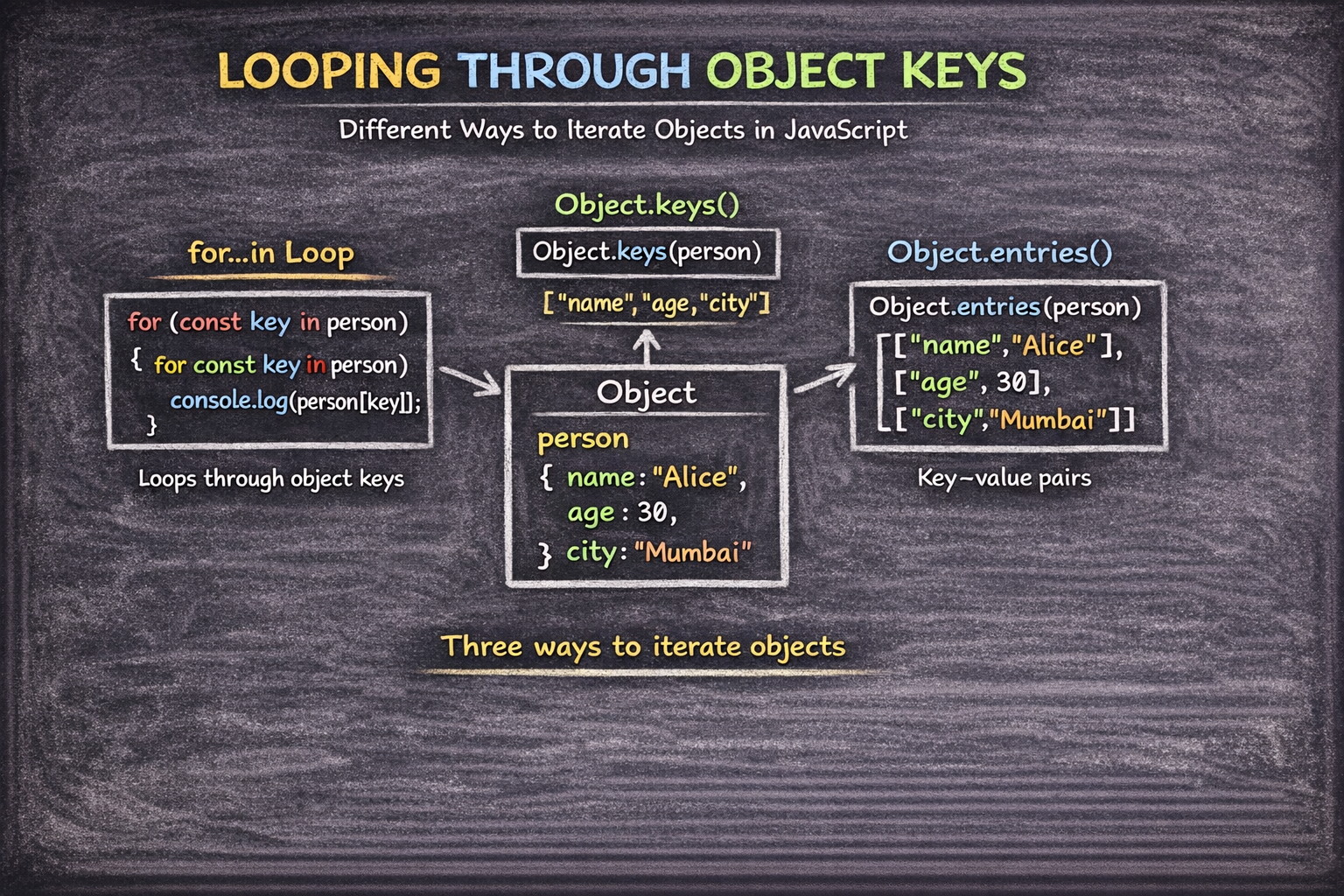
What if you want to print every detail in your object? Unlike arrays, objects don't have a simple order, so you need specific methods to "walk" through them.
Method 1: The for...in Loop
This is the classic way to iterate over all keys in an object.
Example:
const person = { name: "Alice", age: 30, city: "Mumbai" };

for (const key in person) {
  // // Use bracket notation because 'key' changes each loop iteration
  console.log(`\({key}: \){person[key]}`);
}
- Pro Tip: We use bracket notation (
person[key]) because the variablekeychanges every time the loop runs. Dot notation (person.key) would literally look for a property named "key".
Method 2: Object.keys() + forEach()
This returns an array of the object's keys, allowing you to use powerful array methods.
Example:
Object.keys(person).forEach(key => {
  console.log(key, person[key]);
});
Method 3: Object.entries() (The Modern Way)
This is the most readable approach. It turns each key-value pair into a small array [key, value], which you can "destructure" inside a for...of loop.
Example:
for (const [key, value] of Object.entries(person)) {
  console.log(`\({key} is \){value}`);
}
The Object Lab: Practice Your Skills
Test your ability to model a student in the browser console.
The Challenge:
Create: An object representing a student with properties:
name,age, andcourse.Update: Change the
ageto a new number.Add: Add a new property
isGraduatedset tofalse.Loop: Print all keys and values using a
for...inloop.
The Solution:
// 1. Creation
const student = {
  name: "Ashaaf",
  age: 20,
  course: "Computer Engineering"
};

// 2. Update
student.age = 22;

// 3. Add
student.isGraduated = false;

// 4. Loop
for (let key in student) {
  console.log(`\({key}: \){student[key]}`);
}

//output:
//name: Ashaaf
//age: 22
//course: Computer Engineering
//isGraduated: false
Conclusion: Organizing Your World
Objects are the heart of how we represent data in JavaScript. From user profiles to product listings, mastering the key-value structure allows you to build complex, real-world applications. Keep experimenting with dot and bracket notation, and you'll find that objects are the most flexible tools in your coding "Playbook".


