The Magic of this, call(), apply(), and bind() in JavaScript
The Chameleon of JS: Who Exactly is "this"?

If you’ve been coding in JavaScript for more than a week, you’ve probably realized that the this keyword is a bit of a nightmare. It changes its value faster than a chameleon changes colors.
But here’s the "raw" truth: this isn't magic. It’s just context. If you ever get lost, just ask yourself one question: "Who is calling the function right now?".
1. The "Who's the Boss?" Rule
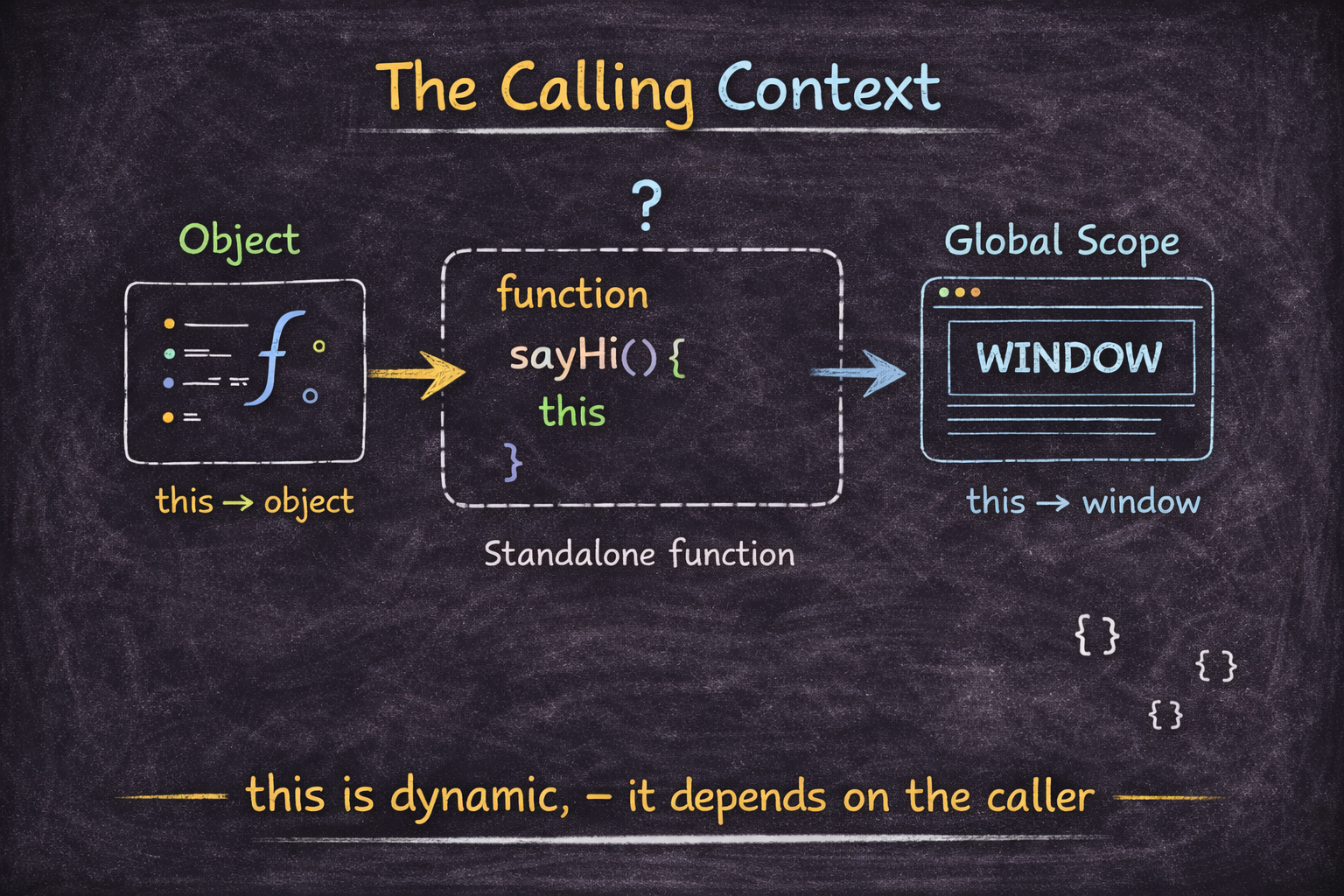
The value of this is determined at the moment the function is executed, not where it’s written.
Inside an Object (The Owner)
When a function is a method inside an object, this is that object.
const user = {
  name: "Ashaaf",
  sayHi() {
    console.log(`Hi, I'm ${this.name}`);
  }
};

user.sayHi(); // "Hi, I'm Ashaaf" -> Because 'user' called it.
Standalone Functions (The Global Void)
If a function is called all by itself, it feels "homeless". In a browser, it defaults to the window object. In strict mode, it just becomes undefined because JS is trying to save you from making a mistake.
2. The Power Trio: Forcing the Context
Sometimes, you don't want to wait for someone to call the function. You want to hijack it and tell it exactly who the boss is. That’s where call, apply, and bind come in.
call() — The Individualist
Use call when you want to execute a function immediately and pass arguments one by one.
Example:
function greet(location, hobby) {
  console.log(`I'm \({this.name} from \){location}, and I love ${hobby}!`);
}

const person = { name: "Ashaaf" };

greet.call(person, "Mumbai", "Coding");
apply() — The Array Lover
apply is exactly like call, but it’s built for lists. You pass arguments as an array. Think of it as "Applying a bucket of data".
The Real-World Example: Trip Planner
Imagine you have a function that plans a trip, and your trip details are already stored in an array from a database or a form.
function planTrip(destination, duration, budget) {
  console.log(`\({this.name} is planning a \){duration}-day trip to ${destination} with $${budget}.`);
}

const traveler = { name: "Ashaaf" };
const tripDetails = ["Tokyo", 10, 3000]; // A "bucket" of data

// apply() spreads the array elements into the function arguments automatically
planTrip.apply(traveler, tripDetails);

// Output: Ashaaf is planning a 10-day trip to Tokyo with $3000.
The Production Trick: Math Mastery
In the real world, developers often use apply() to pass an array of numbers into functions that usually only take individual numbers, like Math.max.
const scores = [45, 89, 72, 95, 60];

// Math.max expects (num1, num2...), but apply() lets us pass the whole array
const highestScore = Math.max.apply(null, scores);

console.log(highestScore); // 95
bind() — The Long-Term Contract
While call and apply are like "one-night stands" (they execute immediately and then leave), bind() is a long-term commitment. It doesn't run the function right away. Instead, it creates a brand new copy of the function with the this context permanently locked to the object you chose.
The Production Problem: Context Loss
The most common "bug" in JavaScript happens when you pass an object's method into a callback (like a button click or a timer). The function "forgets" who its owner is.
The Problem:
const user = {
  name: "Ashaaf",
  greet() {
    console.log(`Hi, I'm ${this.name}`);
  }
};
// When we pass the function to setTimeout, it's called by the Global Window.
// The context is lost!
setTimeout(user.greet, 1000); // Output: Hi, I'm undefined (or "")
The Solution with bind():
// We create a "locked" version of greet that always knows 'this' is 'user'
const safeGreet = user.greet.bind(user);

setTimeout(safeGreet, 1000); // Output: Hi, I'm Ashaaf
The Pro Feature: Partial Application
bind() also allows you to "pre-fill" some arguments. This is incredibly useful for creating specialized versions of general functions.
Example:
function multiply(a, b) {
  return a * b;
}

// Create a new function that always doubles the input
const double = multiply.bind(null, 2);

console.log(double(5));  // 10
console.log(double(10)); // 20
3. The "Master Context" Cheat Sheet
If you’re ever in the middle of a coding sprint and can’t remember which one to use, bookmark this table. It breaks down exactly how these "Context Hijackers" behave in the wild.
Feature | call() | apply() | bind() |
Execution | Immediate | Immediate | Delayed (Returns a copy) |
Arguments | Individually | As an Array | Individually or pre-filled |
Return Value | The result of the function | The result of the function | A brand-new function |
The "Vibe" | "Hey you, do this now with these items." | "Hey you, do this now with this list." | "Sign this contract. We'll do this later." |
Best For... | Borrowing a method once. | Passing arrays to math functions. | Callbacks & Event Listeners. |
Pro Mnemonic: "A for Array, C for Comma"
If you get call and apply mixed up:
Apply uses Arrays.
Call uses Commas.
Bind Blocks the context for later.
The "Borrowing" Lab: Practice
Don't just read it. Break it in your console.
The Challenge:
Create an object
carwithbrand: "Tesla".Borrow a function
drive(speed)that isn't inside thecarobject.Use
call()to make the Tesla drive at 100km/h.Use
apply()with an array[120]to speed up.Use
bind()to create a "permanent" driving function for your Tesla.
The Solution:
function drive(speed) {
  console.log(`\({this.brand} is zooming at \){speed} km/h!`);
}

const car = { brand: "Tesla" };

// 3. call
drive.call(car, 100);
//Output: Tesla is zooming at 100 km/h!

// 4. apply
drive.apply(car, [120]);
//Output: Tesla is zooming at 120 km/h!

// 5. bind
const teslaDrive = drive.bind(car);
teslaDrive(150);
//Output: Tesla is zooming at 150 km/h!
Conclusion: You Are the Boss
The this keyword is only confusing until you realize you can control it. Whether you’re borrowing methods with call, handling arrays with apply, or locking down context for event listeners with bind, you now have the tools to tell JavaScript exactly how to behave.


