Why Version Control Exists: The Pendrive Problem
Beyond the nightmare of final_v2.zip: Why every developer needs a Single Source of Truth.

We’ve all been there. You are working on a project, and your folder looks like this:
It’s messy, confusing, and honestly a recipe for disaster. But why exactly is this a problem for developers? Let’s talk about the "Pendrive Era" of coding.
The Story of Piyush and Hitesh
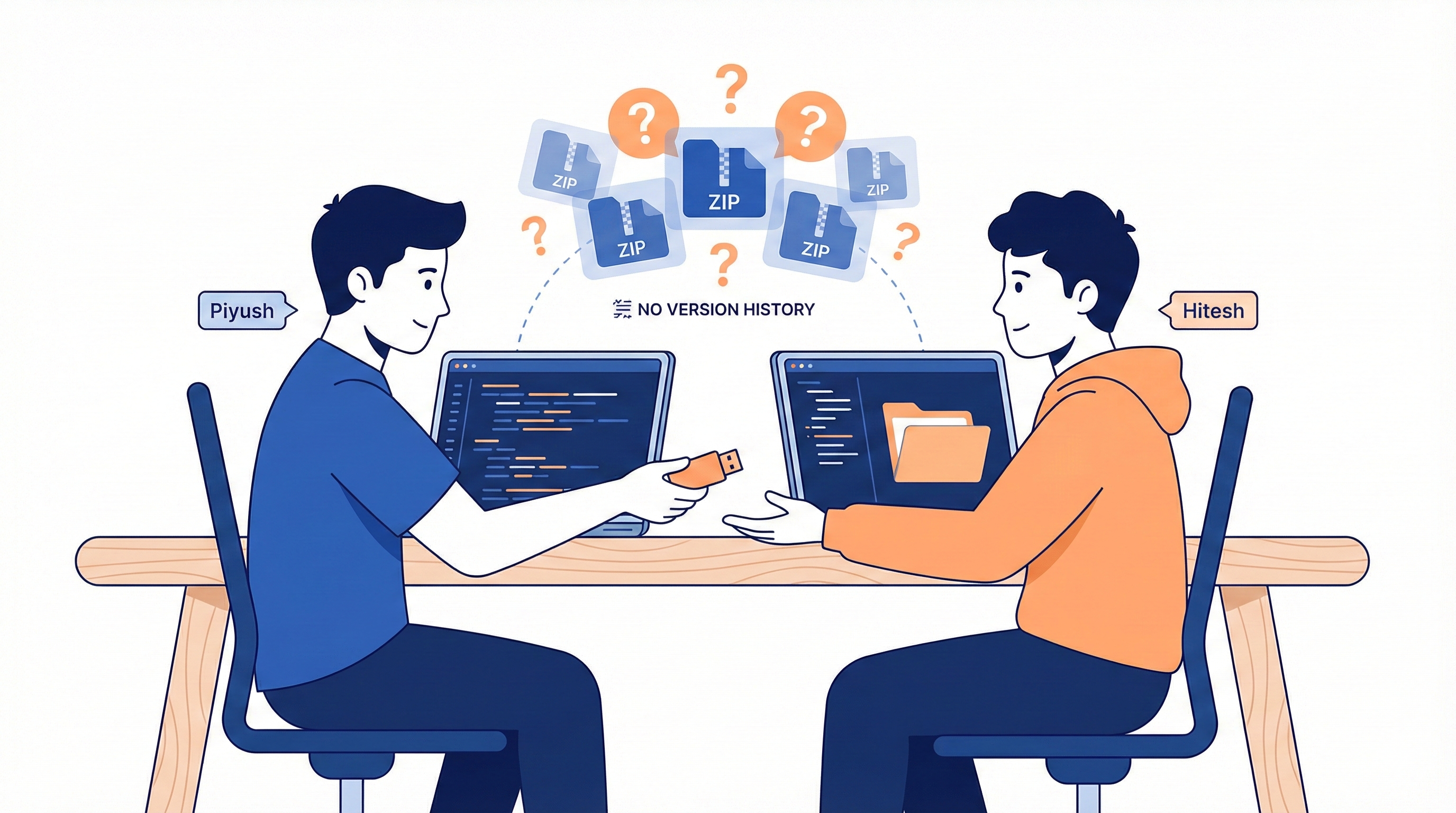
Imagine two developers, Piyush and Hitesh, working on the same website.
Piyush writes some code and shares it with Hitesh via a Pendrive or a ZIP file in an email.
Hitesh makes some changes, fixes a small bug (a "patch"), and gives it back to Piyush.
The Problem: Piyush has no idea what Hitesh changed. Did he change one line? Did he delete a whole file? There is no "History" to look at.
The Collaboration Crisis
Manual sharing works for 2 people, but what happens when 3 or more developers join the team?
Overwriting Code: If two people edit the same file at the same time, the person who saves last wins. The other person's work is simply deleted. This is called a Conflict.
No Progress Tracking: You can't see the "story" of your code. You only see the current version, not how you got there.
The "Deadlock": Without a system, collaboration stops because everyone is afraid of breaking someone else's work.
The Solution: Enter the "ChaiCode Tracker" (CCT)
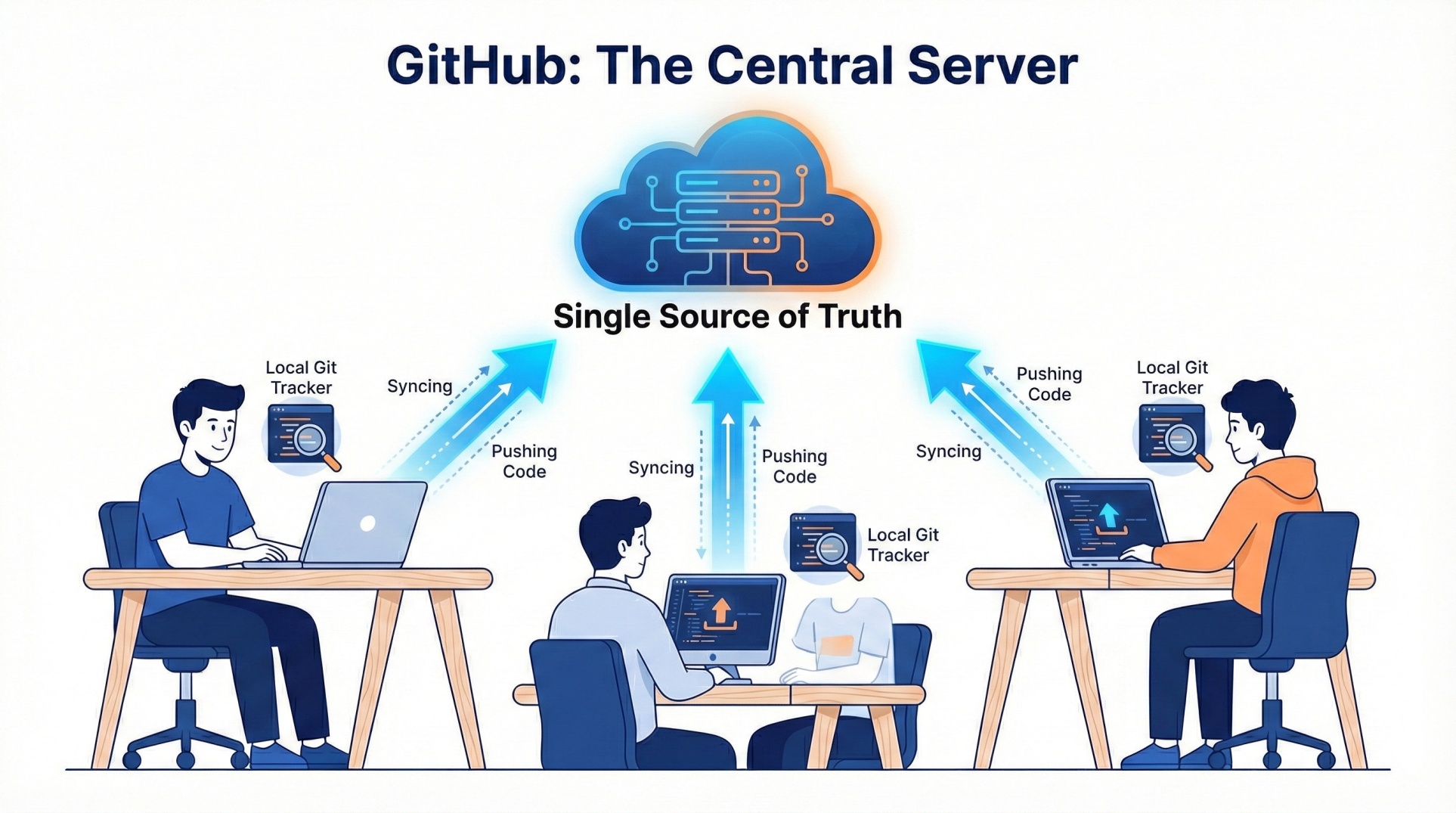
To solve the mess of pendrives and ZIP files, we need a system that doesn't just "save files" but actually tracks progress. In our world, let’s call this system the ChaiCode Tracker (CCT).
To understand how professional developers work, you need to know that this "Tracker" is split into two parts:
1. Git: Your Personal Progress Tracker
Think of Git as the actual ChaiCode Tracker (CCT) software that lives on your computer.
It watches every line of code you write.
It remembers every version of your project locally, so you don't need to make "final_v2" folders.
It was created by Linus Torvalds to track the progress of Linux.
2. GitHub: The Central Meeting Point
While Git tracks your work locally, you still need a way to share that work with your team without using a pendrive. This is where GitHub comes in.
GitHub is the ChaiCode Tracker Server—a central hub on the cloud where everyone connects.
It acts as the "Single Source of Truth".
If Piyush finishes a feature, he sends it to GitHub; if Hitesh fixes a bug, he sends it to GitHub.
Instead of passing physical disks, everyone simply "syncs" their work with this central server. The pendrive is officially dead!
What’s Next?
We now know that Git is our personal tracker and GitHub is our "Single Source of Truth". But have you ever wondered where Git actually stores all those versions of your code?
If you look inside your project folder, you might see a hidden folder called .git. This is the "brain" of your project.
In the next blog, "Inside Git: How It Works and the Role of the .git Folder," we are going to perform a little "surgery." We will open up that hidden folder to see how Git turns your code into Blobs, Trees, and Commits. We’ll discover how Git uses mathematical hashes to make sure your code never gets lost or corrupted.
Get ready to go from a Git user to a Git architect. See you in Part 2! 🚀


