The Invisible Highway: A Developer’s Guide to Network Devices
Beyond the Magic Pipe: Understanding the Boxes and Cables That Power the Modern Web

Most software engineers treat the network as a "magic pipe" - data goes in one end and comes out the other. But if you want to build scalable, secure, and production-ready systems, you need to understand the physical architecture that makes it all possible.
1. How the Internet Reaches Your Device (Big Picture)
Think of the internet like a huge global delivery system.
Your data = the package
Your home or office network = your local city
Before the data can go outside your city and reach the world, it needs:
a bridge → the Modem
a traffic manager → the Router
Both play very different roles.
The Modem – The Entry Point (Translator)
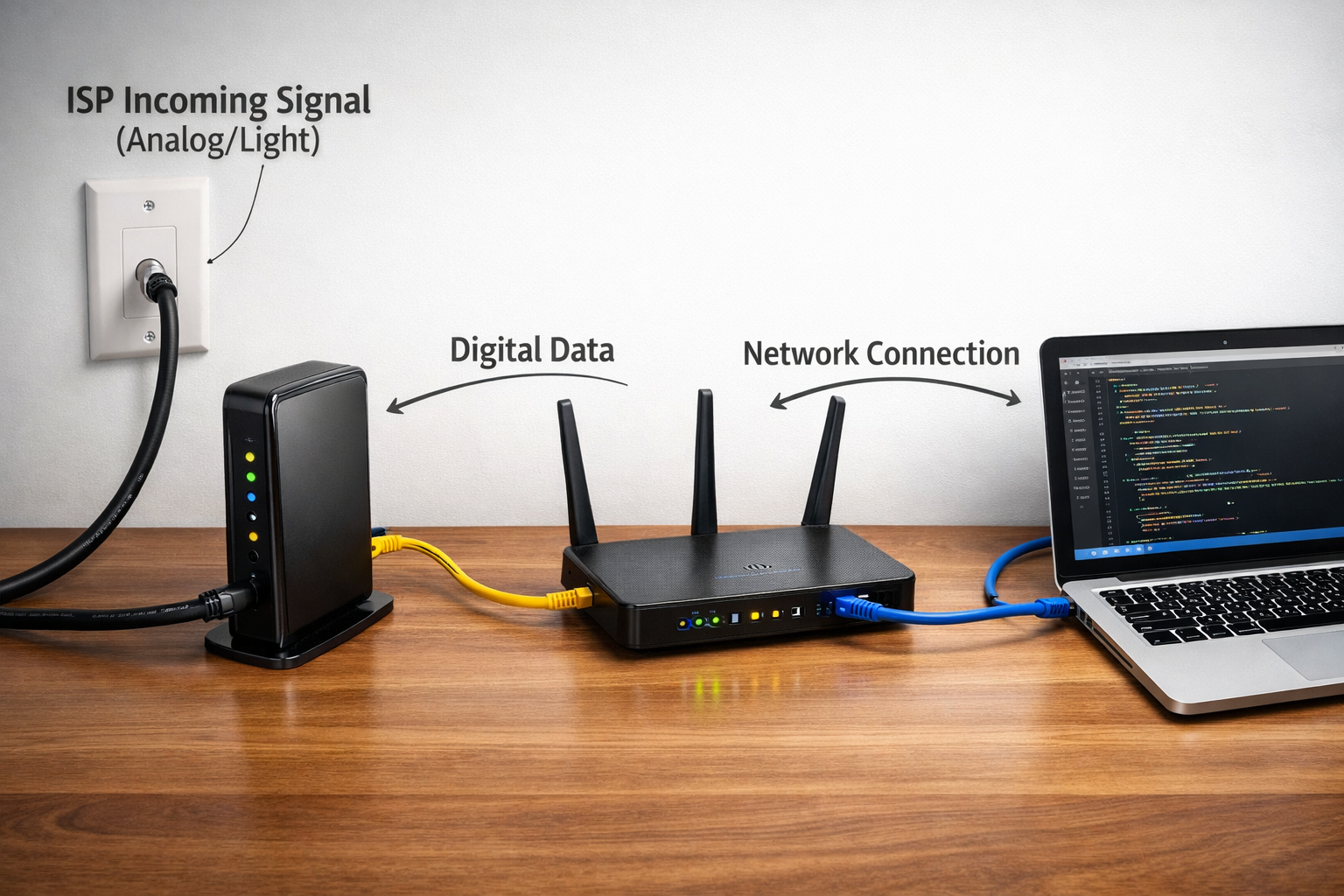
The modem is the first device where your home or office network meets your Internet Service Provider (ISP).
This is the exact boundary point where control shifts from you to the ISP. Everything before the modem is your network; everything after it belongs to the service provider.
What Problem Does a Modem Solve?
Your computer works only with digital data - pure 1s and 0s.
But the cables that exist outside your house were not originally designed for raw computer data. These physical mediums were built for different purposes, such as voice or television signals.
Common types of cables include:
Copper telephone lines
Coaxial TV cables
Fiber-optic cables (carry data as light signals)
Because of this mismatch, your computer cannot directly communicate with the outside internet.
Core Responsibility: Signal Conversion
The modem’s main job is translation between your digital world and the physical world outside.
Outgoing data:
Takes digital data (1s and 0s)
Converts it into signals suitable for long-distance travel
Incoming data:
Receives signals from the ISP
Converts them back into digital data your device can understand
Without this conversion, data would never leave or enter your network correctly.
Simple Analogy
Think of the modem as an interpreter at a border.
Inside your country → your native language (digital data)
Outside the country → a foreign language (analog signals or light)
If no interpreter is present, communication simply cannot happen.
Why the Modem Matters (Physics Reality)
Understanding the modem is really about understanding the physical limits of the internet.
Advantages
Long-distance communication
You cannot run an Ethernet cable across cities or countries
Modems allow data to travel thousands of kilometers reliably
Uses existing infrastructure
Works with cables already laid across cities, oceans, and continents
Makes global internet possible without rebuilding everything from scratch
Disadvantages (Real-World Limits)
Physical dependency
High-speed internet still requires physical cables (fiber or copper)
Wireless access ultimately connects back to wires
Signal degradation
With older copper infrastructure, distance becomes a problem
Farther from the ISP’s local hub means:
lower speeds
higher latency
This is pure physics, not a software issue.
The Router – The Traffic Controller
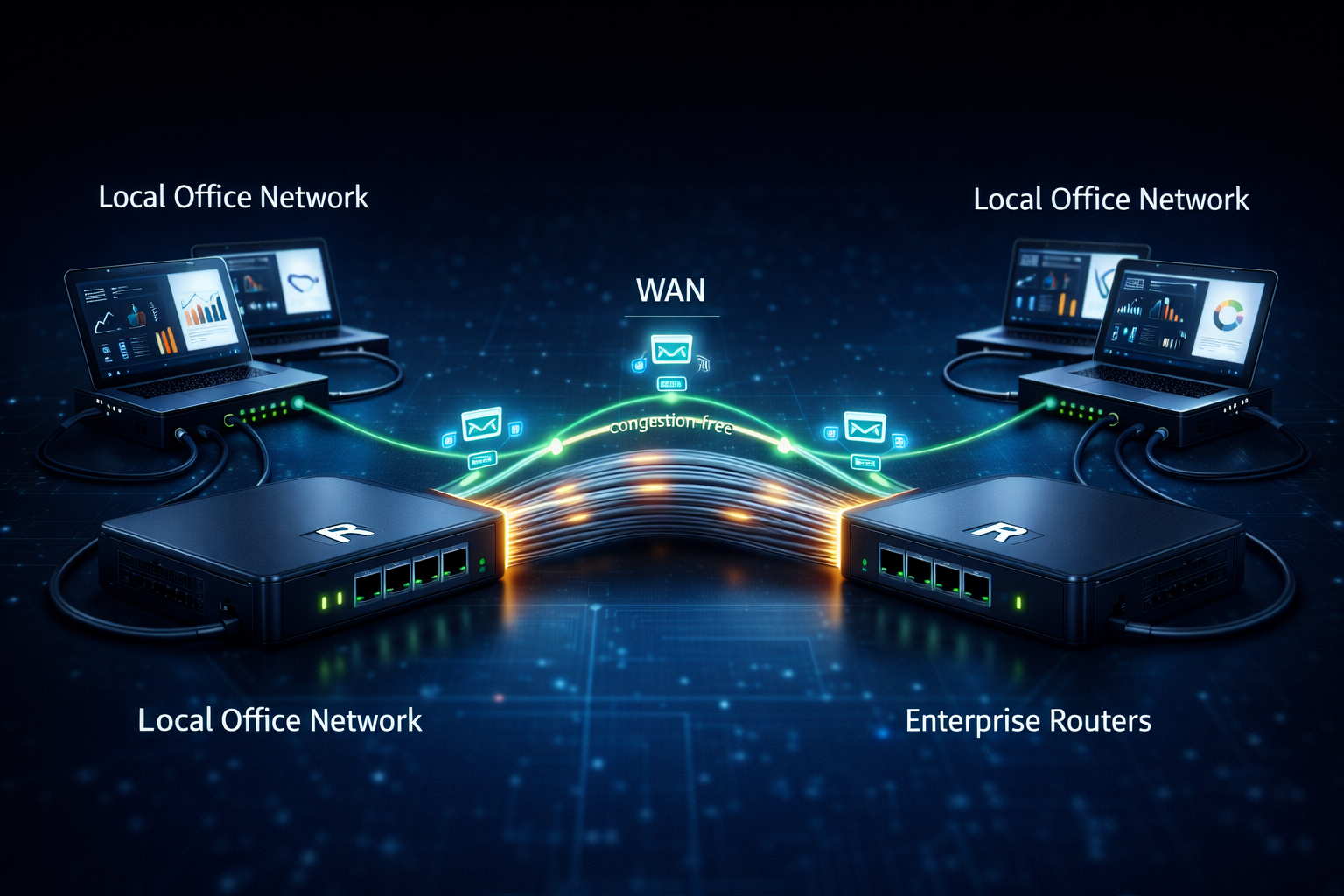
Once data enters your home network, the router takes control.
If the modem is the bridge into the city,
the router is the traffic police at the main junction, deciding where every packet should go.
What the Router Actually Does
The router connects two worlds:
Local Area Network (LAN) → all your devices
Wide Area Network (WAN) → the internet
Core Responsibilities
1. Create your local network
Builds your home network (LAN)
Assigns private IP addresses to each connected device
2. Direct incoming data
- Ensures data reaches the correct device
(laptop, phone, TV, etc.)
3. Handle outgoing data
- Sends requests from your devices back to the internet properly
Simple Analogy
Think of the router as a delivery officer who makes sure:
packages don’t go to the wrong house
traffic flows smoothly without confusion or blockage
How a Router Moves Data Efficiently
A router doesn’t forward data blindly.
It makes intelligent decisions to keep data moving fast.
Step-by-Step Process
Analyze
- Reads the destination address of each data packet
Evaluate
- Checks which network paths are busy and which are free
Execute
- Uses routing algorithms to choose the fastest and safest route
Analogy
Like a delivery driver using Google Maps:
avoids traffic jams
chooses the shortest path
delivers on time
Router Trade-offs (Engineering Perspective)
Routers are powerful devices, but that power comes with trade-offs.
Advantages
Connects different networks
- Smooth communication between LAN and WAN
High performance
- Avoids congestion for faster data transfer
Flexible connectivity
- Supports both Ethernet and Wi-Fi
Disadvantages
Expensive hardware
- Requires CPU, memory, and advanced logic
Complex setup
- Often needs networking knowledge to configure
Security risks
- Since it faces the internet, poor configuration can expose the network
Difference between Modem vs Router
| Feature | Modem | Router |
| Primary Role | Connects your network to the ISP | Manages traffic inside your network |
| Position in Network | Boundary between user and ISP | Inside the user’s network |
| Main Function | Translates digital data ↔ physical signals | Directs data between devices and internet |
| Network Connection | ISP ↔ Home network | LAN ↔ WAN |
| Decision Making | No routing decisions | Makes routing and traffic decisions |
| IP Handling | Provides public IP from ISP | Assigns private IPs to devices |
| Data Focus | Signal conversion (physics layer) | Packet forwarding and traffic control |
| Can Work Alone? | Yes (for single device) | No (needs modem or ISP link) |
2. The Local Mesh: How Data Moves Inside
Once data is inside your network, it needs to reach the specific "room" or "house" it was intended for. This is where the distinction between "dumb" and "smart" hardware becomes critical.
Hub vs. Switch: The Loudspeaker vs. The Mailroom
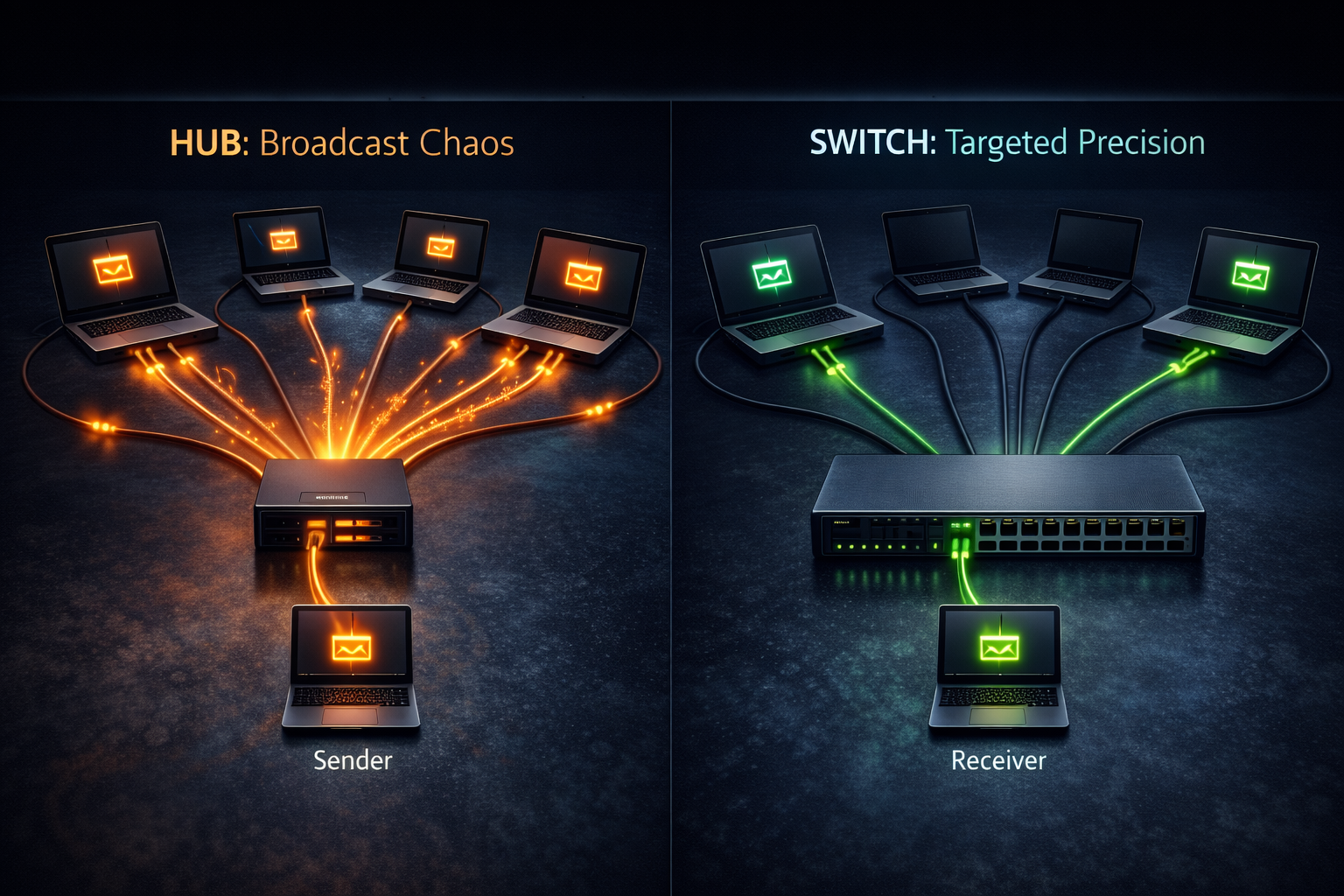
These devices look almost identical small boxes with multiple Ethernet ports but they function very differently.
The Hub (The Broadcaster)
Once the router sends data into your building, it enters the Local Area Network (LAN).
To connect multiple computers inside this local space, we use a central device.
Traditionally, this device was the hub.
What Is a Hub?
A hub is a very simple, low-intelligence networking device used to connect multiple computers in a LAN.
It does not think.
It does not make decisions.
It only broadcasts.
Core Responsibility: Broadcasting
This is the most important thing to understand about a hub.
How it works:
A data packet enters the hub from one device
The hub does not check where the packet is supposed to go
It copies and sends that packet to every device connected to it
Result:
Every computer receives the data
Only the intended device uses it
All others simply ignore it
Simple Analogy
Think of a hub like a WhatsApp group with 40 people.
You send one message
It doesn’t go to just one person
Everyone in the group receives it at the same time
That is exactly how a hub behaves.
Trade-offs: Simplicity vs Performance
Hubs are easy to use, but that simplicity comes at a cost.
Advantages
Low cost
- Very cheap compared to other networking devices
Plug and play
- No configuration required
Easy maintenance
- Adding or removing computers is simple
Fault tolerance
- If one computer fails, others keep working
Disadvantages
No privacy
Data is sent to every device
Not safe for sensitive or personal information
Half-duplex communication
- Devices can either send or receive data, not both at the same time
Traffic jams
As more devices are added:
data collisions increase
network performance drops sharply
The Switch (The Smart Dispatcher)
If a hub is like a loudspeaker, then a switch is a smart dispatcher.
From the outside, they may look the same, but on the inside, a switch is far more intelligent and efficient.
A switch is designed for high-performance and private communication inside a local network.
What Makes a Switch Different?
Unlike a hub, a switch does not broadcast data to everyone.
Its strength is targeted delivery.
Core Responsibility: Targeted Delivery (Unicast)
The switch knows exactly which device is connected to which port.
How does it do that?
The MAC Address Table
Every network device has a unique hardware identity called a MAC address.
The switch learns these MAC addresses automatically
It stores them in an internal MAC address table
Each MAC address is mapped to a specific physical port
How Data Moves Through a Switch
Step-by-step workflow:
A data packet arrives at the switch
The switch reads the destination MAC address
It checks its MAC address table
The packet is forwarded only to the correct port
Result:
Data reaches the intended device only
Other devices are not disturbed
Network bandwidth is used efficiently
Simple Analogy
Think of a switch like a private mailroom.
Instead of throwing letters into the street
The mailroom clerk puts your letter into your personal cubby
Only you receive your mail
Your neighbors are not affected
Trade-offs: Intelligence vs Infrastructure
For developers and engineers, a switch forms the backbone of a reliable local network.
But with intelligence comes trade-offs.
Advantages
Private communication (Unicast)
One-to-one data transfer
Ideal for sensitive or important data
High performance
Supports full-duplex
Devices can send and receive data at the same time
Better security
- Data is not broadcast across the network
Reliable node handling
- Failure of one computer does not affect others
Disadvantages
Higher cost
- Needs internal CPU and memory for MAC tables
Setup complexity
- Professional switches require networking knowledge
Central point of failure
- If the switch itself fails, the entire LAN goes down
Difference between Hub vs Switch
| Feature | Hub | Switch |
| How data is sent | Broadcasts to all devices | Sends only to the intended device |
| Intelligence | Low (no decision making) | High (makes routing decisions) |
| Privacy | No privacy | Private communication |
| Performance | Slow, degrades with more devices | Fast and efficient |
| Bandwidth usage | Wastes bandwidth | Uses bandwidth efficiently |
| Security | Poor | Better than hub |
3. The Enterprise Tier: Security and Scalability
For software engineers building production apps, the network doesn't end at the router. In a data center or cloud environment (like AWS), two more devices become the heroes of your architecture.
The Firewall: The Security Bouncer
A firewall is a network security system that acts as a gatekeeper for your network.
Its job is simple in theory, but critical in practice.
It monitors and controls:
incoming traffic
outgoing traffic
All decisions are made using predefined security rules, with one goal:
block unauthorized or harmful data before it causes damage.
What a Firewall Actually Does
Every piece of data trying to enter or leave your network is checked.
If it matches the allowed rules → it passes
If it violates the rules → it gets blocked
Nothing moves freely without permission.
The 5 Design Principles of a Good Firewall
A production grade firewall is not just about blocking traffic.
It must be designed correctly.
1. Security Policy First
Rules must match the use case.
A college website
a banking system
a railway booking platform
All of them handle very different types of traffic.
One policy does not fit all.
2. Simplicity
The firewall design should be:
easy to understand
easy to maintain
Too much complexity creates:
misconfigurations
security loopholes
Simple rules are safer rules.
3. Reliable Hardware
Never deploy a firewall on:
outdated
unstable
untrusted systems
The firewall itself must run on secure and modern hardware.
4. Layered Defense
Security should exist at multiple levels.
If a threat bypasses one layer,
another layer should stop it.
This approach reduces single points of failure.
5. Internal and External Protection
Threats don’t come only from the internet.
You must protect against:
external attacks (outside the network)
internal threats (inside the network)
Both are equally important.
Simple Analogy
Think of a firewall as a bouncer at a high-end club.
Checks every ID
Searches bags
Follows a strict guest list (security policy)
Only approved people enter.
Everyone else is turned away.
Types of Firewalls (Developer’s Perspective)
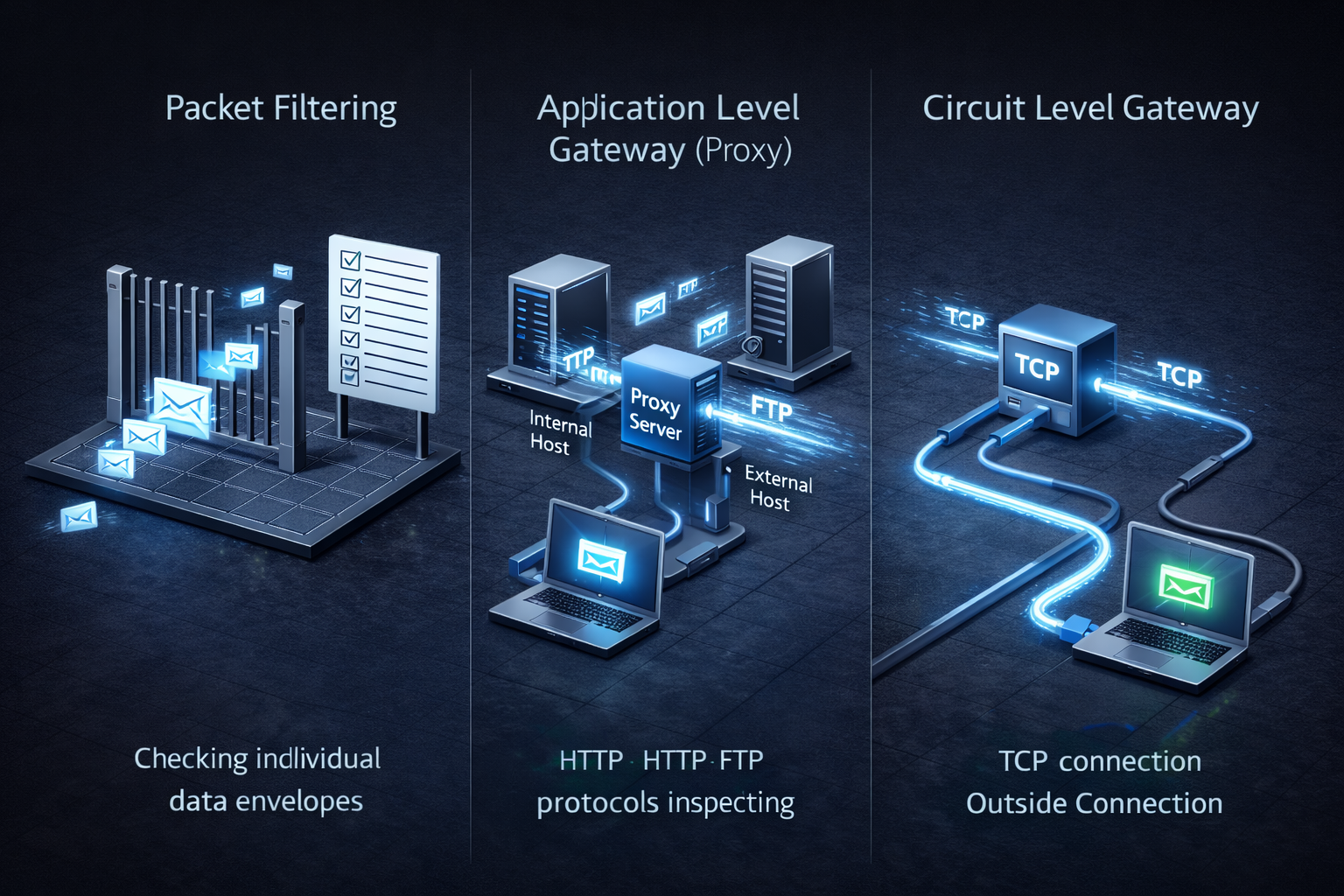
Different firewalls provide different levels of security and performance.
| Firewall Type | How It Works | Security Level | Speed |
| Packet Filtering Firewall | Inspects individual packets using source/destination IPs and ports | Low | Very High |
| Application Level Gateway (Proxy Firewall) | Acts as a proxy and deeply inspects application protocols (HTTP, FTP, SMTP) | Highest | Low |
| Circuit Level Gateway | Works at session level and manages separate internal and external connections | Medium | High |
The Load Balancer: The Traffic Distributor
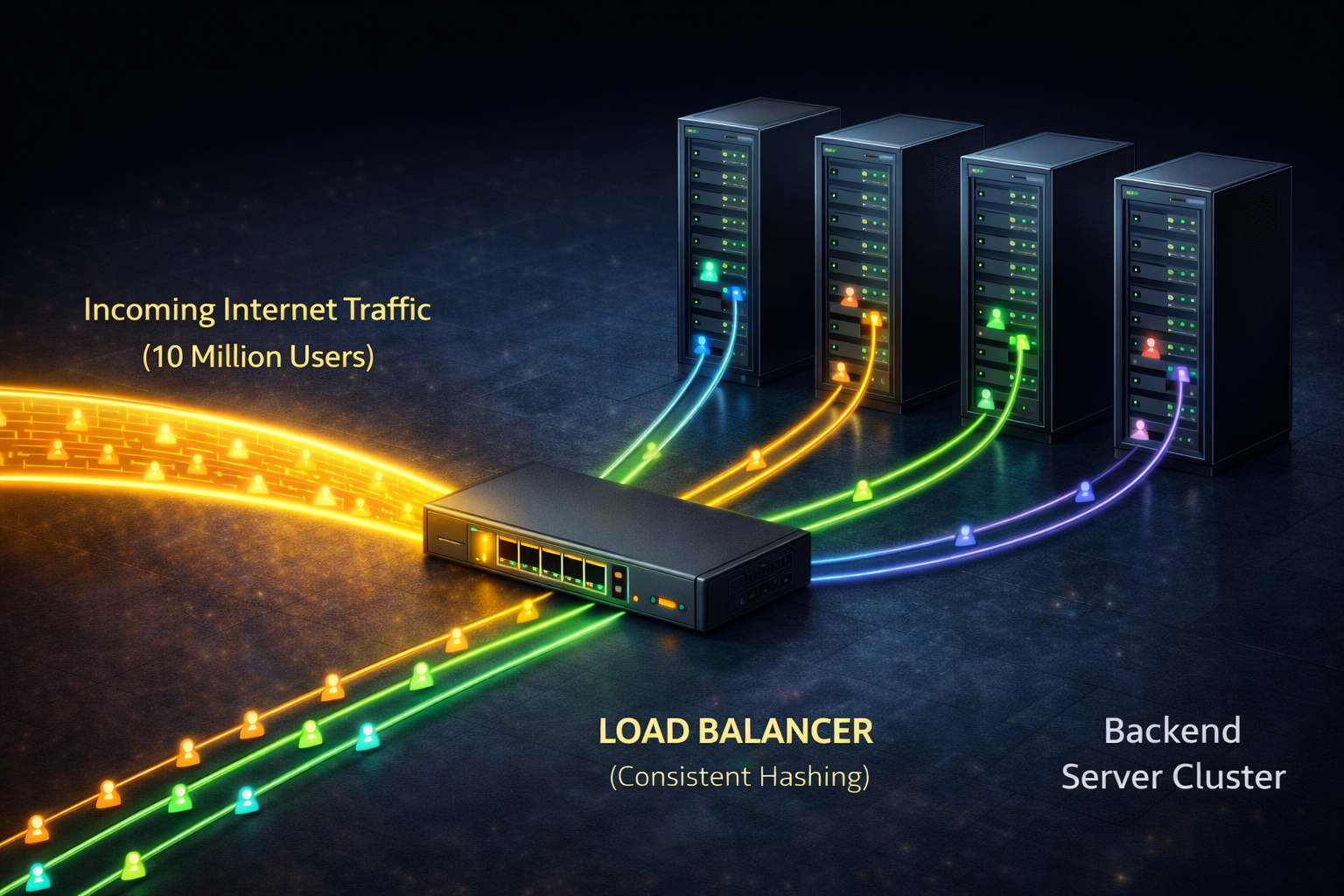
As your web application grows from 10 users to 10 million, a single server eventually becomes a bottleneck. No matter how powerful that one machine is, it cannot handle infinite traffic.
To build large, scalable systems, you must move from a single server to a "cluster" of many servers. But this creates a new problem: Which incoming request should go to which server?
This is where the Load Balancer enters the architecture.
The Responsibility: Intelligent Distribution
A Load Balancer sits in front of your server farm and acts as the single entry point for all traffic. Its job is to distribute incoming requests evenly across your backend servers to ensure no single machine is overloaded while others sit idle.
Analogy: Think of the Load Balancer as an Usher at a massive stadium. If 50,000 people tried to enter through one door, it would be chaos. The usher stands at the front, directing people into 10 different open gates to ensure everyone gets inside quickly and smoothly.
The Developer's Challenge: "Request Stickiness"
For a software engineer, load balancing isn't just about random distribution. You have to care about Request Stickiness (session affinity).
The Problem: In real systems, a user's session data (like their login profile or shopping cart) is often cached on the specific server that first handled their request. If the load balancer sends their next click to a different server, that server won't have their cached data, leading to slow performance or broken sessions.
The Wrong Way (Simple Hashing): If you just use a simple math trick (like
Request ID mod Number of Servers) to assign users, everything breaks when you add a new server to scale up. Almost every user gets re-assigned to a new server, rendering all caches useless instantly.The Pro Way (Consistent Hashing): Modern, large-scale systems (like Redis or professional cloud load balancers) use a technique called Consistent Hashing. This advanced algorithm ensures that when you add or remove servers, only a small fraction of users are moved, keeping most caches valid and performance high.
In short: A good load balancer doesn't just spread traffic; it intelligently manages user sessions as the system scales.
4. Bringing It All Together: A Request's Journey
Follow the data from the user’s click to your backend server:
The Bridge (Modem): Translates the incoming street signal into digital data your network can actually use.
The Guard (Firewall): Scans the request against security rules to block malicious attacks before they enter.
The Usher (Load Balancer): Intelligently routes the request to the healthiest server in your cluster using techniques like Consistent Hashing.
The Dispatcher (Switch): Uses the MAC Address to deliver the data directly to the specific physical port of the target server.
Conclusion: Hardware for the Software Mind
Mastering the Invisible Highway changes how you build. You stop seeing the network as "magic" and start seeing it as an architectural tool. Whether you're debugging latency or designing for 10 million users, knowing the physical landscape ensures your building and your career stands on solid ground.


